
“How much will it cost?”
The first thing a patient looks for. No price, no trust — they go where the price is.
On the site: prices for every main treatment, no “call us for details”.
 Hi, I'm Alikhan
One service, done well: a website where a patient understands the price in a minute, picks a dentist and books. And no request gets lost at the front desk.
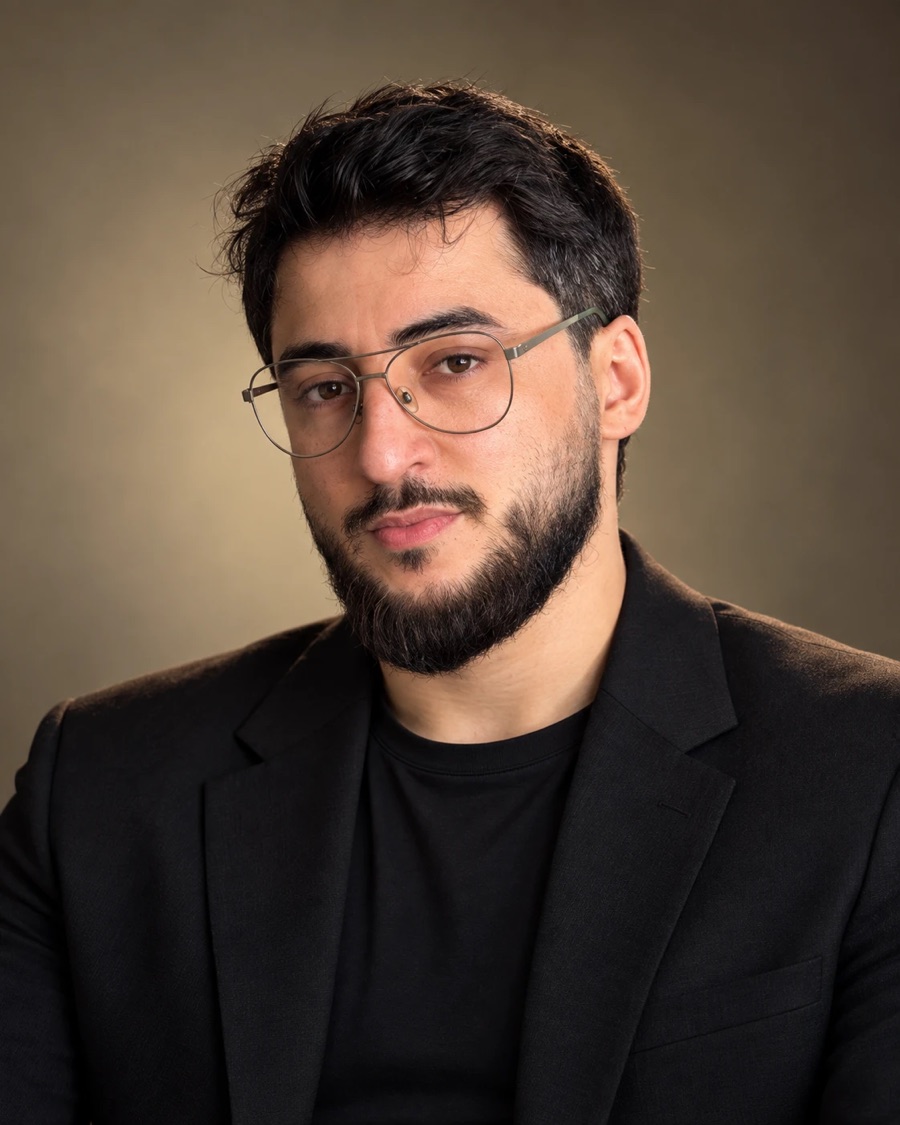
that's me — message me directly
Ads, maps and word of mouth bring people to your website. If it's confusing, they close the tab and go to the clinic next door — and you've already paid for that click.
The first thing a patient looks for. No price, no trust — they go where the price is.
On the site: prices for every main treatment, no “call us for details”.
In dentistry people choose a dentist, not a clinic. A faceless website loses.
On the site: a page for every dentist — experience, cases, what they treat.
Fear is the main reason people put off treatment for years.
On the site: honest answers to fears and doubts, in the patient's own words.
A typical studio makes pretty pages. I first look at the clinic through an operations director's eyes — and only then start designing.
Which treatments bring in the money, where patients come from today, what the front desk is asked most often.
A dedicated page for every high-value treatment — implants, braces, veneers. Plus dentists, prices, reviews, contacts.
We write it in the patient's language: price, steps, warranty, “does it hurt”. From you — only photos and answers to my questions.
Great on a phone, loads fast, basic SEO, structured data for Google and AI assistants.
A form and messenger buttons. Every request arrives instantly in Telegram and by email, and shows up in Google Analytics.
a bonus from an operations director
A short guide on how to answer a website request so the person books instead of “thinking about it”.
I don't promise “+100 patients” — that depends on more than the website. I promise things you can check with your own hands.
Moscow · implants and aesthetic dentistry
The challenge: patients are afraid of treatment and don't understand the prices. The site has to answer their questions on its own — how much it costs, whether it hurts, which dentist to see — and get them to book.


and this is how it looks on a phone
People mostly look for a clinic on their phone — so I built every page for the phone first.


the dental chart up close
The diagram shows 32 teeth. The patient taps a tooth and chooses what it needs: treatment, a crown, extraction, missing tooth or an implant. The site shows a drawing of the stage, the stages with prices from the clinic's price list and the total for all marked teeth. The patient comes to the consultation with clear questions.


every block answers a patient's question
Want a site like this for your clinic? Tell me about your clinic — I'll reply myself and tell you what you actually need.
Discuss your siteIn progress · launching in November 2026
About 100 pages: a dedicated page for every treatment and a section for patients. I'll show it here right after launch.
A familiar story: the site looks good, but changing a dentist, a team photo or a price only works through the developer. You write, you wait, you remind — and the site still shows the old price list.
Every edit goes through a contractor. While they are busy, patients see outdated prices and dentists who no longer work at the clinic.
You change dentists, team, prices, copy and photos yourself and see right away how it looks on the site. No need to wait for anyone.
This is how it looks on dental-clinica.ru, where the clinic already uses the editor. The editor interface will be in your language


I build the editor for your hand-coded site: the site stays just as fast, and the content is fully in your hands.
30 minutes, free
I learn about your clinic, show examples and name the timeline.
1–3 days
We fix the price. You send photos, your price list and answer my questions.
3–5 weeks
Structure, copy, design. You see a work-in-progress version and send your edits.
1 day
We move it to your domain, check everything together against the list, and I hand the script to your front desk.
No “landing / standard / premium”. Everything described above is included. The price is fixed in the contract before work starts.
Will you edit the site yourself?
turnkey clinic website
$2,700
from $2,150
Price for the first three clinics — in exchange for a case study: after 2–3 months we show on my website how many requests came in, and you leave an honest review.
Timeline — 3–5 weeks
What you get:
Support — from $180/month: the site keeps running, prices and dentists stay up to date, edits on the same business day. Contract from 6 months, invoiced every 3 months. Optional — you can go without it.
The price is fixed in the contract before work starts. Copy, analytics, legal pages, domain and hosting for the first year are already included.
I know a clinic from the inside — the way the owner, dentists, assistants, front desk and patients see it.
A clinic works like a bite: if something doesn't close properly, everything hurts. An operations director sets up the right bite between all sides. That's what I do — only now from the outside.
I work with a small, trusted team. I run the project and I'm personally responsible for the result — you talk and agree on everything with me.
3–5 weeks — both hand-coded and on WordPress. It depends on the number of pages and how quickly you send photos, your price list and answers to my questions. You see a work-in-progress version along the way.
The base package is always the same: up to 20 pages, copy, requests, analytics, legal pages and the script. Hand-coded — from $2,700, hand-coded with a visual editor — from $3,400, on WordPress — from $3,000. For the first three clinics — from $2,150, from $2,750 and from $2,400 in exchange for a case study and a review. If you need more — say, a network of branches — I'll name the final price before work starts and fix it in the contract.
Honestly — I can't know in advance. It depends on advertising, location, prices and how your front desk answers. I'm responsible for making sure that a person who lands on the site understands where they're going, books easily, and that every request is visible.
Not always. On the free call I'll look at your current site and tell you honestly whether it's worth rebuilding.
Yes. Choose a hand-coded site with my editor — you change dentists, prices, copy and photos yourself and see the result right away. Or WordPress with an admin panel. If the site is hand-coded without the editor, I make the edits as part of support, usually on the same business day.
The website is the foundation. Once it's ready, you can add SEO and ads, and I can help. But that's a separate conversation after launch.
Yes, I work remotely with clinics in any country. We talk over Zoom, Telegram or WhatsApp at a time that suits your time zone.
Leave a request — we'll set up a short call and I'll tell you where to start in your case.

I reply personally, within one business day. — Alikhan